3DG TexturExt
standalone application for Windows
From photograph to 3D-ready texture: rectify the perspective, clean up the image, make it seamless and generate its PBR maps, all in one program.
The material you get is the one you photographed: the brick of that building, the plaster of that courtyard. Not a generic texture pulled from a library, not a material invented by a generative model.
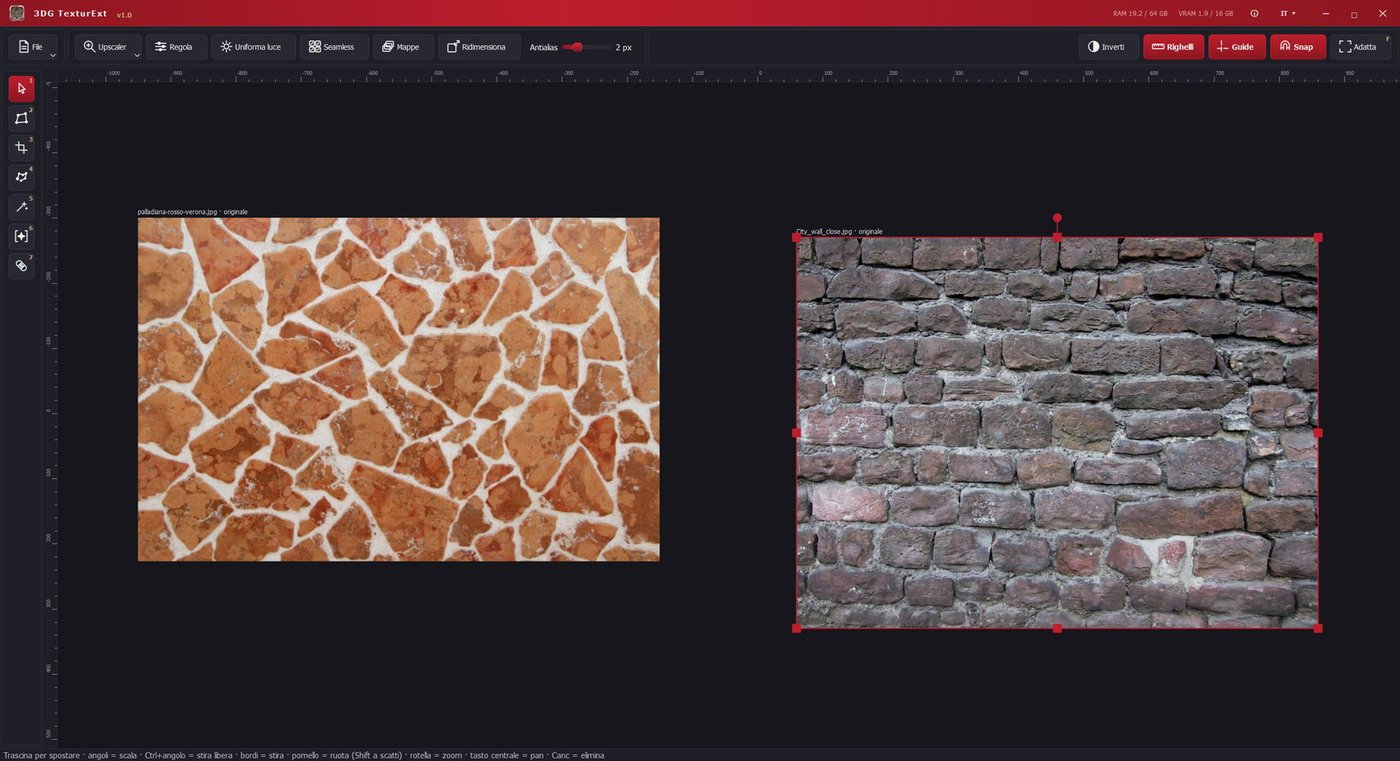
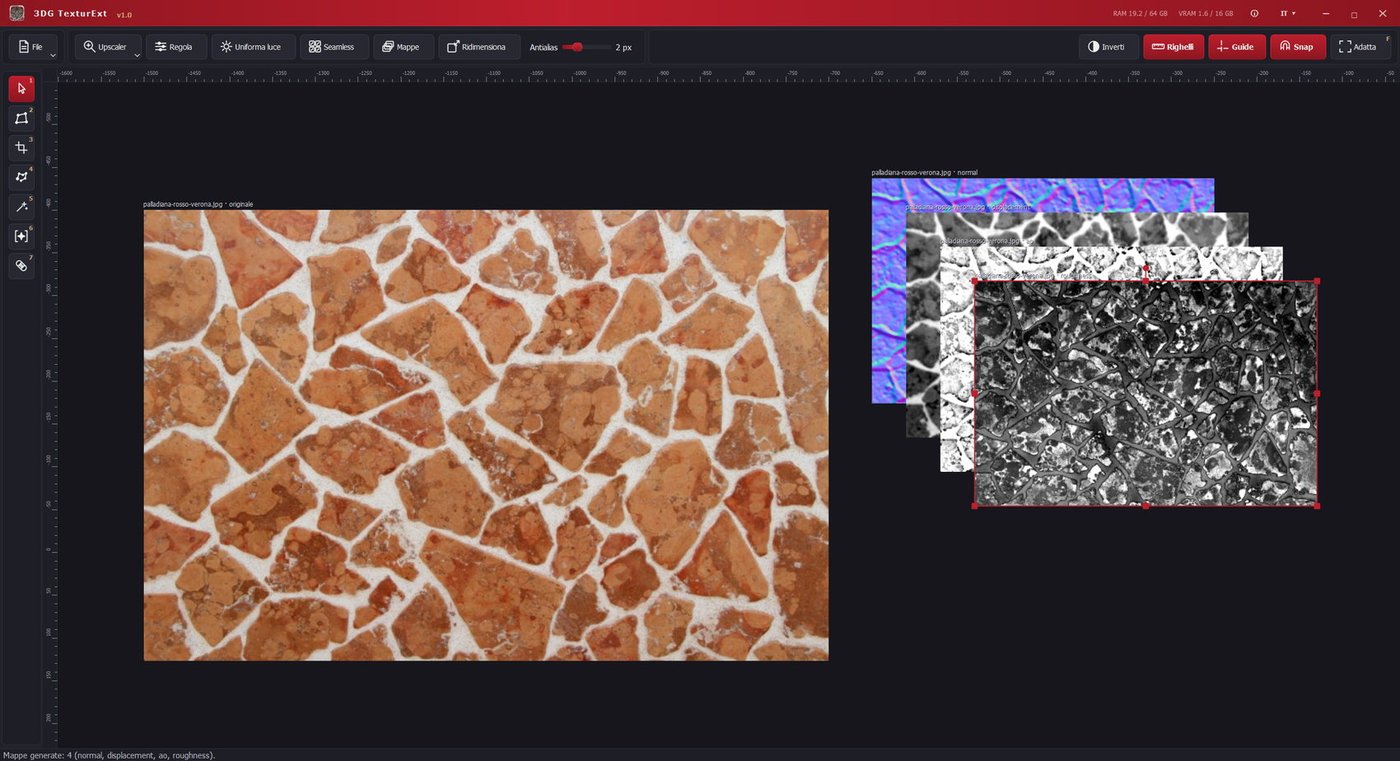
An infinite workspace where photographs sit side by side, can be compared and processed all the way to the finished material. Every step is created as a new element next to the original: the source image is never altered and the whole path stays reversible.
Try all features free for 7 days, with no limit on the number of operations and no credit card required. If it works for you, purchase the perpetual license: pay once and it's yours forever, future updates included. No monthly fee, no credits to top up.
- Artificial intelligence that runs on your own computer — upscaling with detail reconstruction, same-size enhancement, removal of unwanted elements and automatic cutout: no extra cost, no credits to burn and nothing you work on is ever sent over the network, it all stays on your machine
- Infinite workspace with rulers, guides, magnetic snapping between images and smooth zoom
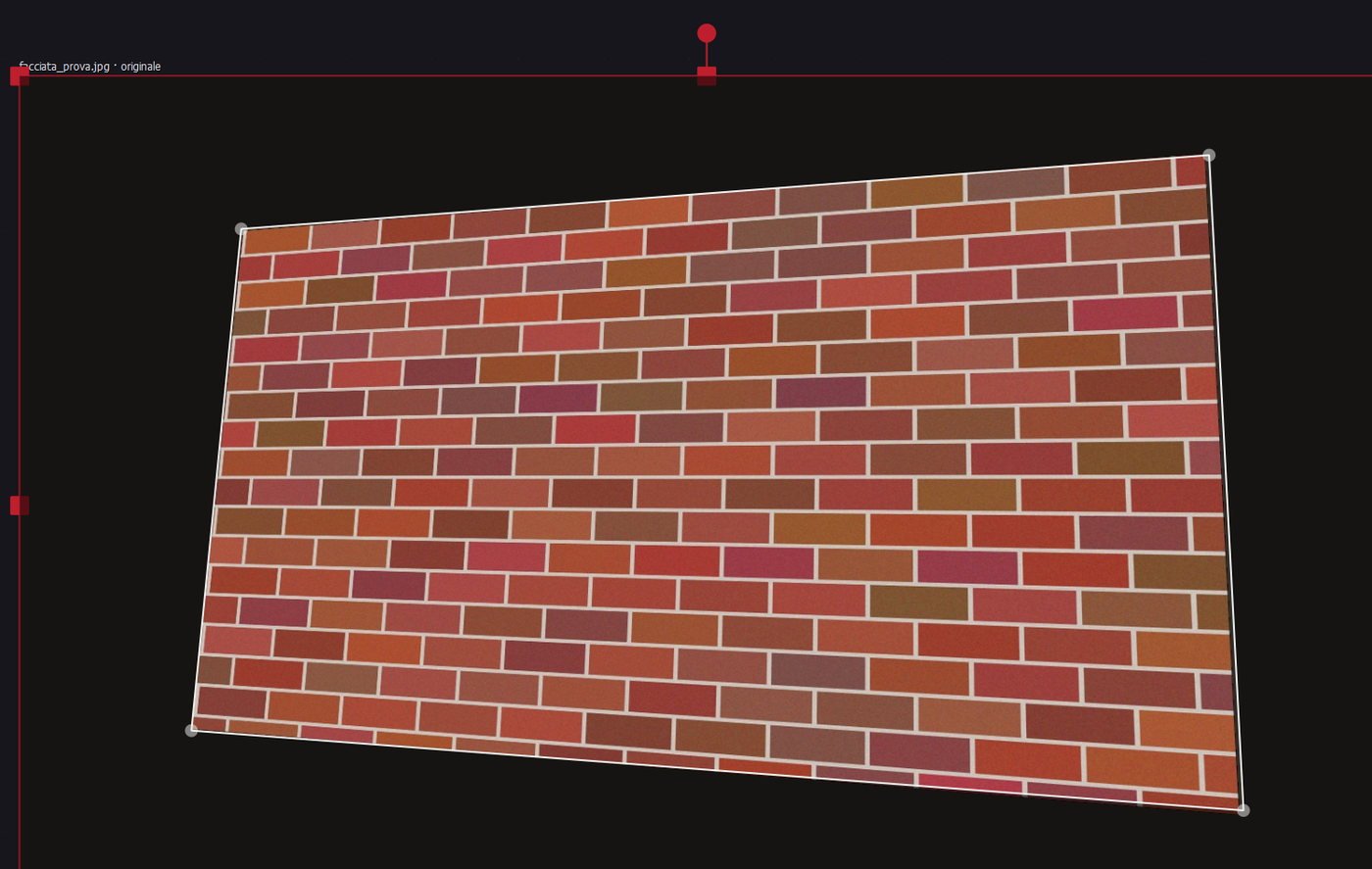
- Perspective rectification: place four handles on the corners of a surface shot at an angle and get its front view
- Cropping and cutout tools: rectangle, polyline, magic wand with adjustable tolerance, brush-painted selection and AI-assisted automatic cutout
- Seamless textures: converging lines straightened, light and colour evened out, periodic module detection, minimum-error cut and a seam quality score, at the size you choose
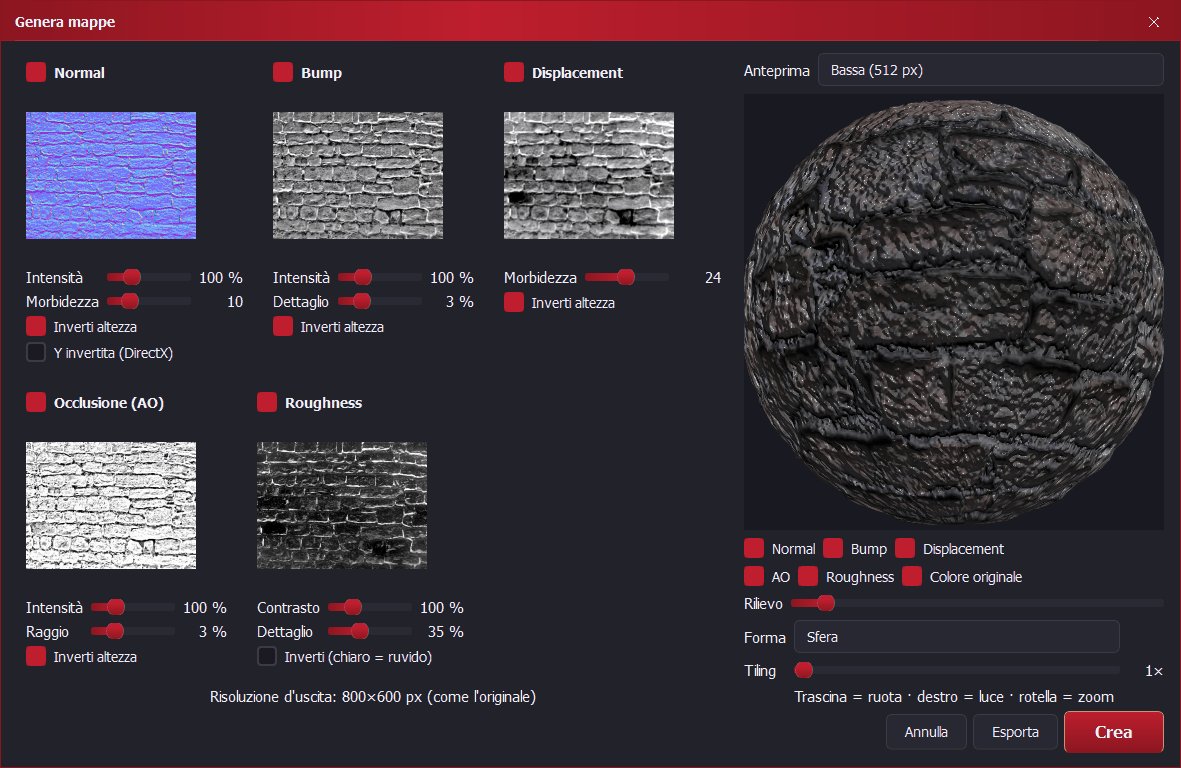
- Complete PBR maps — normal, bump, displacement, ambient occlusion and roughness — with a built-in 3D preview updating in real time, orientable light and adjustable tiling
- Full material export with presets for the main engines, PNG, TGA and TIFF formats, 16-bit displacement and the resolution you choose
- Complete photographic adjustments (brightness, contrast, shadows, highlights, balance, temperature, tint, hue, saturation, vibrance, sharpening and blur) with a full-size preview
- Light equalization to remove vignetting and gradients from photographs
- Over seventy formats read, including AVIF, HEIC, PSD, DDS, JPEG 2000 and camera RAW files
- Project saving with the whole workspace, plus export to JPG, PNG and JPG+alpha
- Interface in Italian, English, German, French, Spanish and Azerbaijani