All tools
3DG PhotoMatch

3DG PhotoMatch

for 3ds Max, Cinema 4D, Rhino and SketchUp

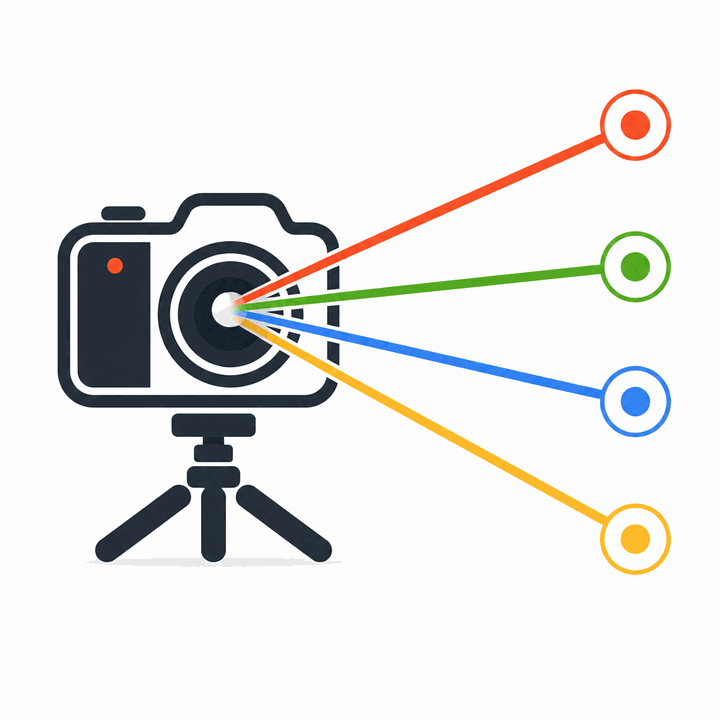
Click the points, press one button: in seconds the 3D camera lines up perfectly with your photograph.

A completely new approach to camera matching. No vanishing points, no adjusting by eye. Just matching points, one click and a result that speaks for itself. The same solver, the same precision, inside the program you actually use.

The panel speaks your language

IT EN DE FR ES PT RU ZH

eight languages, switched from the dropdown at the top of the panel

The 3ds Max camera on your photograph, with the focal length worked out rather than guessed.

3ds Max 2025 · 2026 · 2027 Physical, V-Ray and Corona version 1.2.0

The Cinema 4D camera on your photograph, with the render format already matching the photo.

Cinema 4D 2024 · 2025 · 2026 picking with vertex snap version 1.2.0

The Rhino camera on your photograph, saved as a Named View ready to render.

Rhino 8 panel stays open, osnaps active version 1.2.0

The SketchUp camera on your photograph, saved as a scene with the photo behind it.

SketchUp 2019 → 2025 nothing else to install version 1.2.0
€49 (excluding local taxes) Perpetual licence

Try every feature free for 10 days, with no limits and no credit card. If it suits you, buy the perpetual licence: pay once and it is yours for good, future updates included. One licence covers two computers, one in use at a time.

What changes from one program to the next

The solver is the same in every version: what changes is how the result enters your scene, because every program has its own habits.

What appears in the sceneA Physical Camera with position, rotation and focal length already set
Render enginesPhysical Camera, V-Ray and Corona: the built-in converter moves between them keeping the framing that was solved
Lens distortionRecognised by the solver and carried over to the V-Ray camera, which has the parameter for it
Picking in the modelVertex snap, with numbered markers that stay as long as you need them
What appears in the sceneA camera with position, rotation and focal length already set, locked as it is
Render formatSet to match the photograph, so the framing really does line up
Picking in the modelVertex snap, numbered markers in the viewport, camera preview before you create it
InterfaceNative Cinema 4D panel, with zoom and pan on the photo
What appears in the sceneA Named View, with the render size set from the photo
PreviewThe camera shows in the perspective viewport with the photo behind it, before you save it
Picking in the modelRhino osnaps active; every pair becomes a real point object you can move
InterfaceA panel that stays open for the whole session, instead of closing after every operation
What appears in the sceneA SketchUp scene with the solved camera and the photo as its background
To installNothing: the solver is written in Ruby and runs inside SketchUp. No Python, no external libraries
Picking in the modelSketchUp inferences active, temporary numbered markers in the model
InterfacePanel with the photo, a dedicated toolbar and a context menu on the points

Compared with Perspective Match in 3ds Max

Perspective Match is the camera-matching tool built into 3ds Max. 3DG PhotoMatch takes a different approach, faster and more precise for everyday work.

Compared with the Cinema 4D Camera Calibrator

The Camera Calibrator is the tool built into Cinema 4D. 3DG PhotoMatch takes a different approach, faster and more precise for everyday work.

Compared with what Rhino offers

Rhino has no native camera-matching tool: the usual route is a background image and adjusting the view by eye.

Compared with Match Photo in SketchUp

Match Photo is a good tool built into SketchUp. 3DG PhotoMatch offers a different approach, better suited to those after speed and precision in daily work.

The usual tools 3DG PhotoMatch
Calibration method Manual alignment of the axes to vanishing points Click matching points on photo and model, the solve is automatic
Minimum references 2 vanishing points + origin Any 4 points, well spread around the scene
Focal length Set by hand or estimated by eye Worked out automatically, starting from the EXIF data when present
Precision feedback Visual, down to the operator's judgement Reprojection error, in pixels, in real time
Correcting and adjusting Realigning the axes by hand Drag the points and the re-solve is instant
Learning curve Requires understanding vanishing points and perspective You only need to spot recognisable points in the photo and the model

Who it is for

ArchitectsDesigners working on existing buildings who need to line up the 3D model with real photographs
SurveyorsTechnicians carrying out photographic surveys who need precise camera calibration
3D visualisationArchitectural rendering professionals who have to place 3D models into photographs
3D artistsAnyone working in compositing, photo insertion or matte painting who needs 3D elements placed with the right perspective

How it works

Screenshots and video coming soon.

How you work

1. PhotoLoad a photograph of the building or of the real scene
2. PointsFind at least 4 points you can recognise both in the photo and in the 3D model
3. PairsFor each point, click on the photo and then on the matching point in the model
4. SolveFrom the fourth point on the camera solves itself, focal length included, and updates with every correction
5. ResultThe camera enters your scene the way your program expects (see above)

Licence

Free trial10 days with every feature active, no credit card
Price€49.00 (excluding local taxes)
TypePerpetual licence — pay once and it is yours for good, future updates included
How many computersTwo registered computers, one in use at a time. The licence moves from one to the other from the plugin's own panel
One licence per programThe licence covers the version you bought. If you work with two programs you need two licences: write to support@3dg.it and we will sort something out
PurchaseSecure payment through Paddle, which is the seller of record and issues the invoice (credit card, PayPal)
DocumentsLicence agreement · Sales conditions and refunds · Privacy

Requirements

3ds Max2025, 2026, 2027
Operating systemWindows 10 / 11
Anything else to installNothing: the plugin is pure Python and uses what 3ds Max already has
InstallationA zip archive to unpack into the 3ds Max scripts folder; the instructions, in eight languages, come inside the package
InternetNeeded to activate the licence and to re-check it now and then. If the plugin cannot connect it keeps working for 72 hours, then stops until the check succeeds
Cinema 4D2024, 2025, 2026
Operating systemWindows 10 / 11
Anything else to installNothing: the plugin is pure Python and uses what Cinema 4D already has
InstallationA zip archive to unpack into the plugins folder; the instructions, in eight languages, come inside the package
InternetNeeded to activate the licence and to re-check it now and then. If the plugin cannot connect it keeps working for 72 hours, then stops until the check succeeds
RhinoRhino 8
Operating systemWindows 10 / 11
Anything else to installNothing: the plugin is pure Python and uses what Rhino already has
InstallationA zip archive to unpack into the Rhino scripts folder; the instructions, in eight languages, come inside the package
InternetNeeded to activate the licence and to re-check it now and then. If the plugin cannot connect it keeps working for 72 hours, then stops until the check succeeds
SketchUp2019 through 2025, desktop version
Operating systemWindows 10 / 11
Anything else to installNothing: the solver is written in Ruby and runs inside SketchUp
InstallationAn RBZ file through the Extension Manager, or a zip archive to copy into the plugins folder; the instructions, in eight languages, come inside the package
InternetNeeded to activate the licence and to re-check it now and then. If the plugin cannot connect it keeps working for 72 hours, then stops until the check succeeds

3ds Max is a trademark of Autodesk, Inc. Cinema 4D is a trademark of Maxon Computer GmbH. Rhinoceros is a trademark of Robert McNeel & Associates. SketchUp is a trademark of Trimble Inc. V-Ray is a trademark of Chaos Software. Corona Renderer is a trademark of Chaos Czech a.s. 3DG PhotoMatch is an independent product: it is not affiliated with, sponsored by or endorsed by any of these companies.